
AI answers without showing its work
Answers are generated but not linked to specific paragraphs, tables, or images. You cannot verify what was actually read.
Interactive Demo
Explore a real document processed by Cortex. Tables, figures, and key data are automatically extracted and made actionable — no manual copy-paste.
AI answers without showing its work
Answers are generated but not linked to specific paragraphs, tables, or images. You cannot verify what was actually read.
Tables become plain text
Most AI tools treat PDFs as flat strings. Tables are lost. Headers disappear. Merged cells break.
Every document is a fresh start
No memory of what was already reviewed. No way to build on prior analysis or connect citations across a document set.
Interactive document objects
Paragraphs, tables, and images become addressable objects you can act on — not just read.

Evidence-first outputs
Highlights and claim → source citations attached to every generated insight. The source always stays visible.

Cell-level selection mode
Select specific cells, rows, or regions to copy, export, or send to analysis with precision.
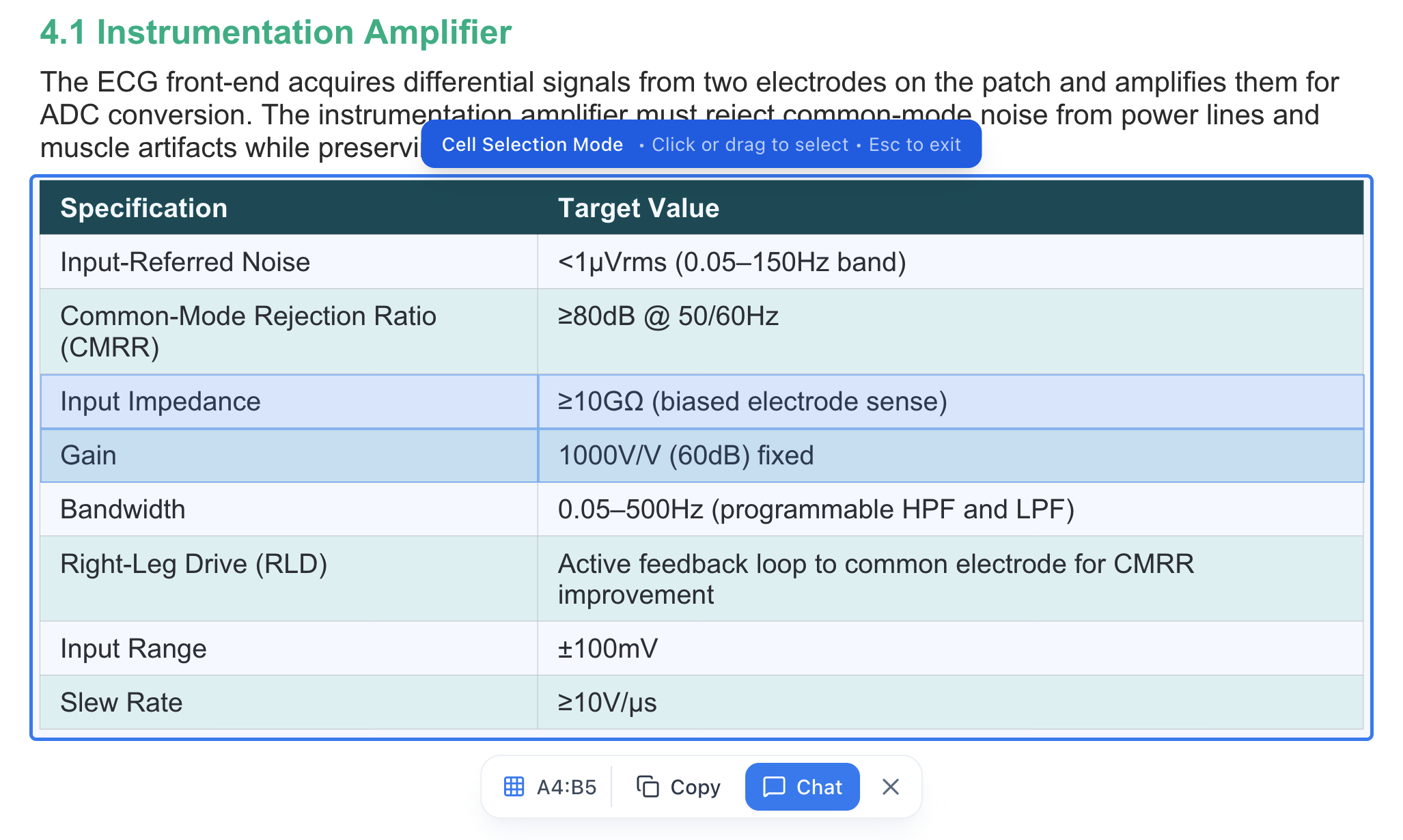
Table → structured view
PDF tables converted into real rows and columns, including merged cells, spanning headers, and checkboxes.

Clean copy and export
Excel-ready exports that preserve table structure — no broken alignment or missing footnotes.
Upload a document (PDF, RFP, policy, contract, report, or deck).
Select an object of interest — a specific table, paragraph, or image.
Run an action: extract fields, copy, send to chat, or generate structured output.
Retain evidence automatically: citations and highlights are attached to the source as you work.
This is not a slide deck walkthrough. In the demo, we run this workflow on your document set and generate a first-pass output in 3 minutes.